
If you need to manage holidays and non-working days in an online booking system, Book24Seven makes it simple. The Holiday Settings feature lets you block specific dates across your business or individual staff calendars, ensuring no bookings are accepted on unavailable days. This helps you maintain accurate schedules, avoid cancellations, and provide a smooth booking experience for your clients.
Accessing the Holiday Settings in Book24Seven
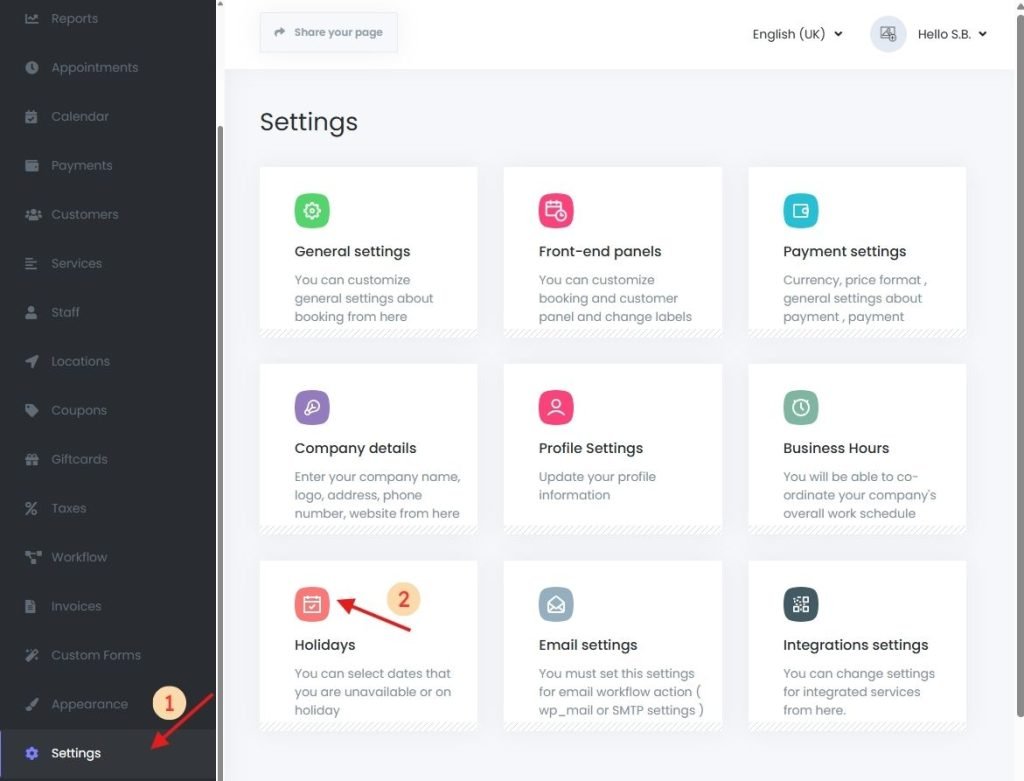
- Log in to your Book24Seven dashboard.
- From the sidebar, click Settings.
- Select “Holidays” from the list.
How to Manage Holidays and Non-Working Days
Adding Company-Wide Holidays
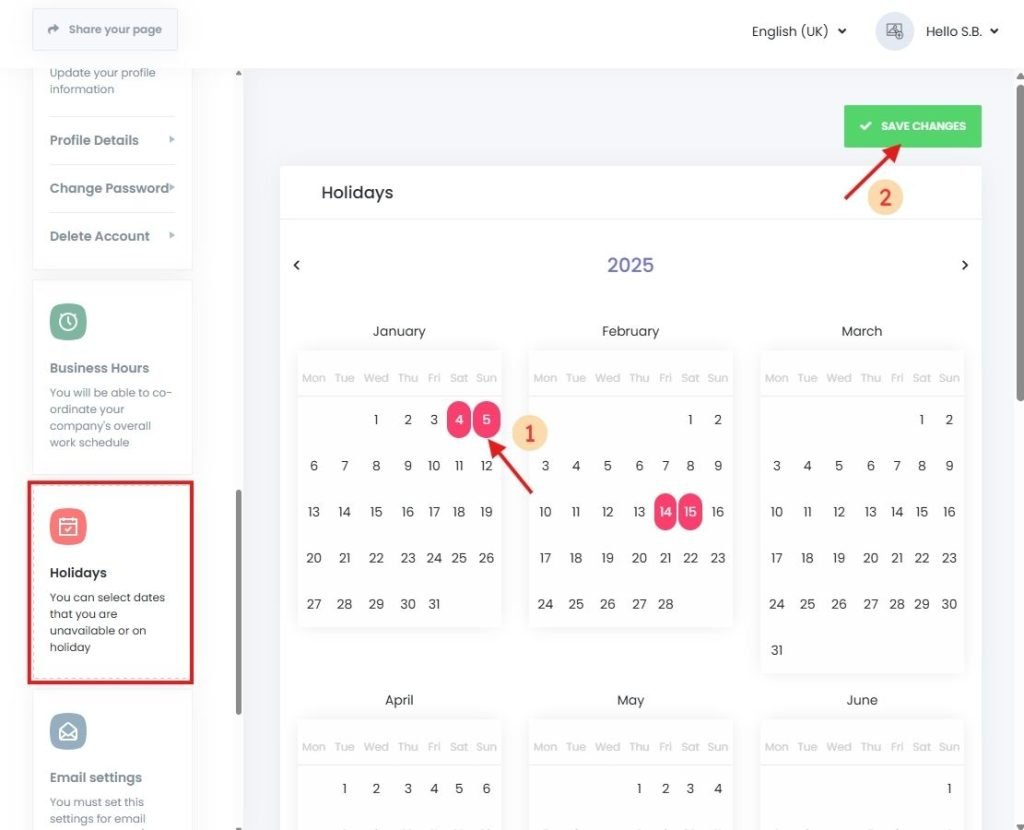
In this section, you can block off dates for all services, locations, and staff.
Editing or Removing Existing Holidays
- In the Holidays panel, click on the desired date on the calendar.
- The selected date will be marked as a non-working day.
- Repeat to add multiple holidays as needed.
- On these days, no appointments can be booked through the booking panel.
- This prevents the need to manually contact customers or cancel bookings on closed dates.
Setting Holidays for Specific Staff Members
If only certain team members are unavailable (e.g., vacation, personal leave), you can set holidays at the staff level.
Step-by-Step: Assign Staff-Specific Holidays
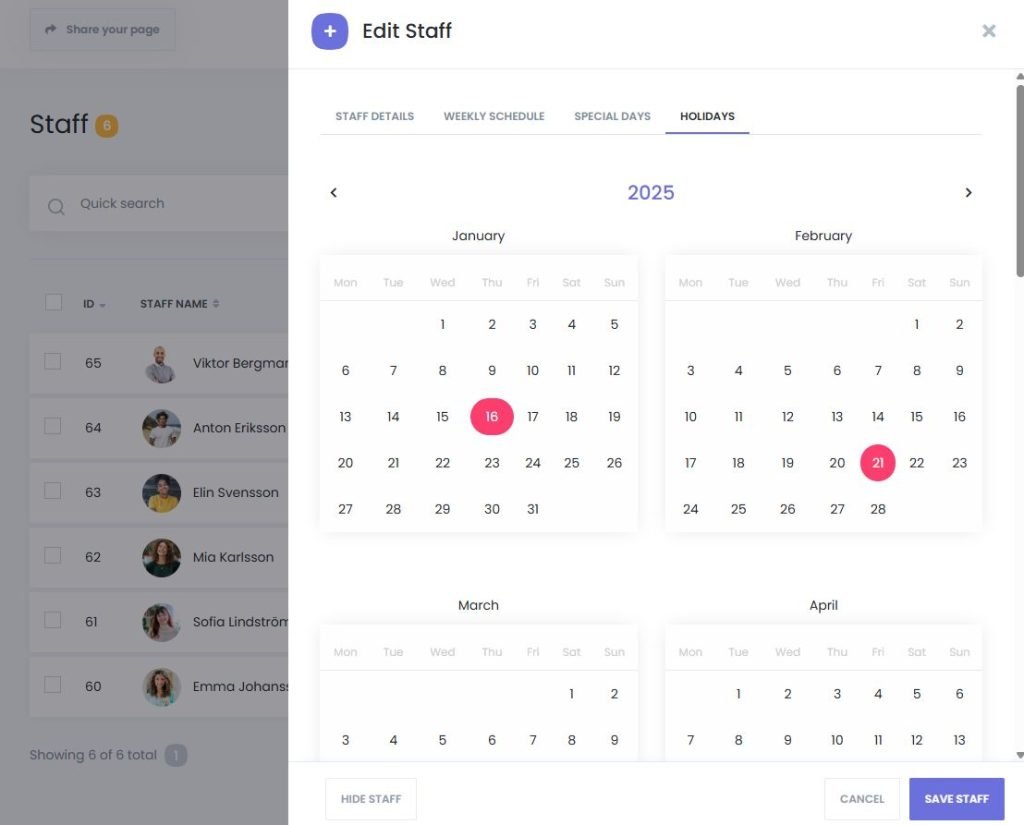
- Go to Book24Seven > Staff.
- Click to edit the desired staff profile.
- Open the “Holidays” tab from the top menu.
- Select the date(s) that the staff member will not be available.
This ensures that:
- Only the selected staff member is marked unavailable.
- Other staff can continue accepting appointments for the same day.
Why Managing Holidays Is Important
Failing to block holidays in your booking system can lead to:
- Customer confusion
- Manual cancellations
- Negative customer experiences
The Holidays feature eliminates this risk by automatically disabling bookings on the blocked days—saving you time and preserving trust.
Summary
With the Holiday Settings in Book24Seven, you can:
- Manage holidays and non-working days in your online booking system
- Mark company-wide holidays to block bookings automatically
- Set staff-specific holidays to reflect individual unavailability
- Prevent accidental bookings during closed or off-duty periods
- Keep your calendar accurate and professional all year round
By managing holidays in advance, you ensure your online booking system always reflects your true availability—saving time and avoiding scheduling conflicts.

 English
  Finnish