
If you want to manage gift cards in an online booking system, Book24Seven gives you everything you need to create, issue, and track digital gift cards. Customers can redeem them when booking services, helping you attract new clients, encourage repeat visits, and simplify payments.
Accessing the Gift Card Management Module
- Log in to your Book24Seven admin dashboard.
- Click on the Gift Cards tab from the sidebar.
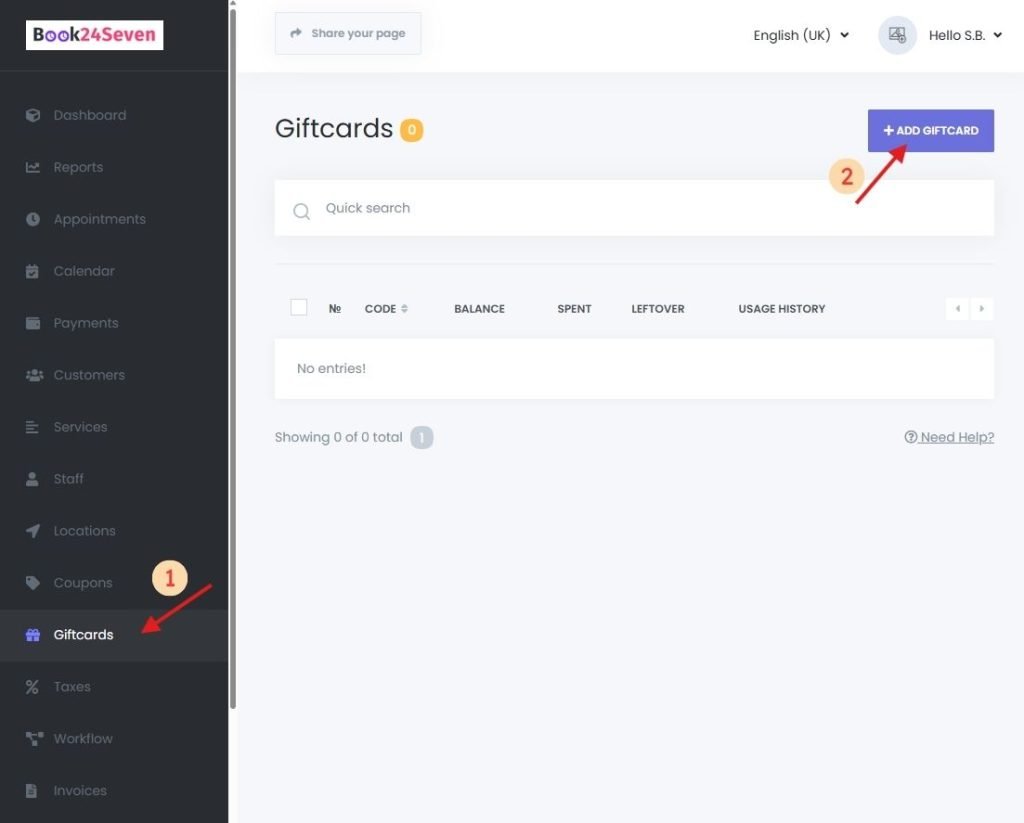
How to Create a New Gift Card in Book24Seven
Step 1: Click “ADD GIFTCARD”
This opens the gift card creation panel.
Step 2: Configure Gift Card Details
| Field | Description |
|---|---|
| Code | Unique gift card code (use a unique code so only the owner of the gift card can access it) customers will enter during booking |
| Amount | Monetary value to be applied toward appointment bookings |
| Location Filter | (Optional) Limit usage to specific business locations |
| Service Filter | (Optional) Restrict to specific services |
| Staff Filter | (Optional) Restrict to specific staff members |
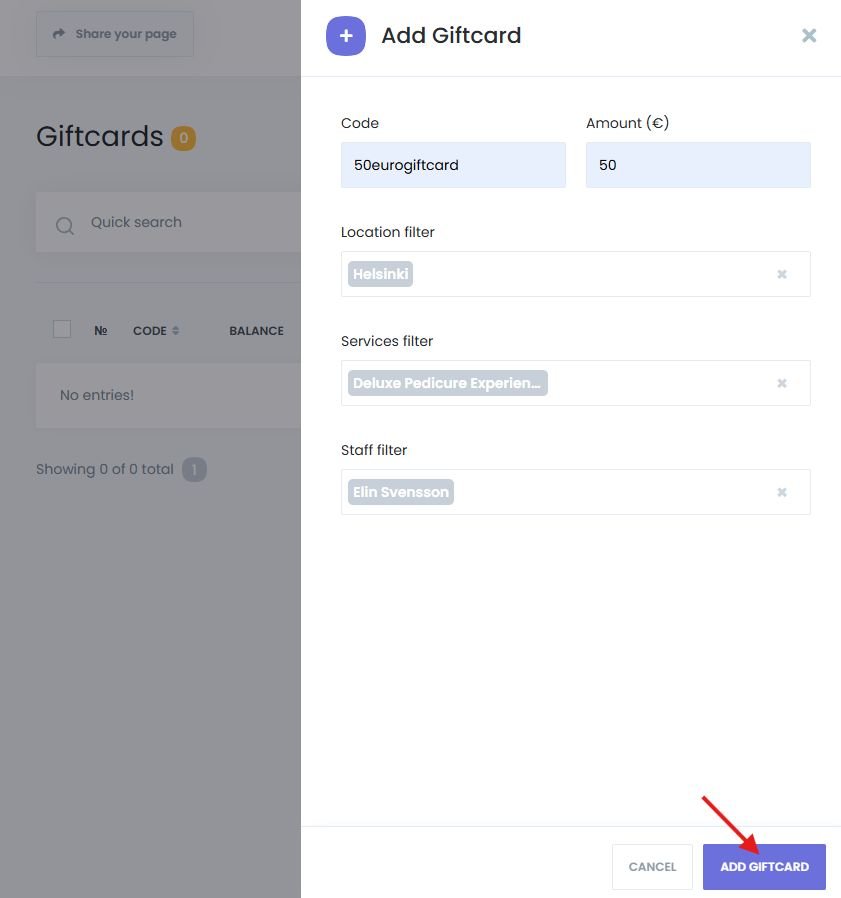
Step 3: Save the Gift Card
Click “Save” to add the gift card to your active list.
Issuing and Redeeming Gift Cards
How to Issue Gift Cards to Customers
Once created, send the gift card code to the customer via:
- Printed voucher
- SMS or other preferred channels
Book24Seven does not currently support selling gift cards directly online. Use external platforms, or manually sell from the shop to manage purchases.
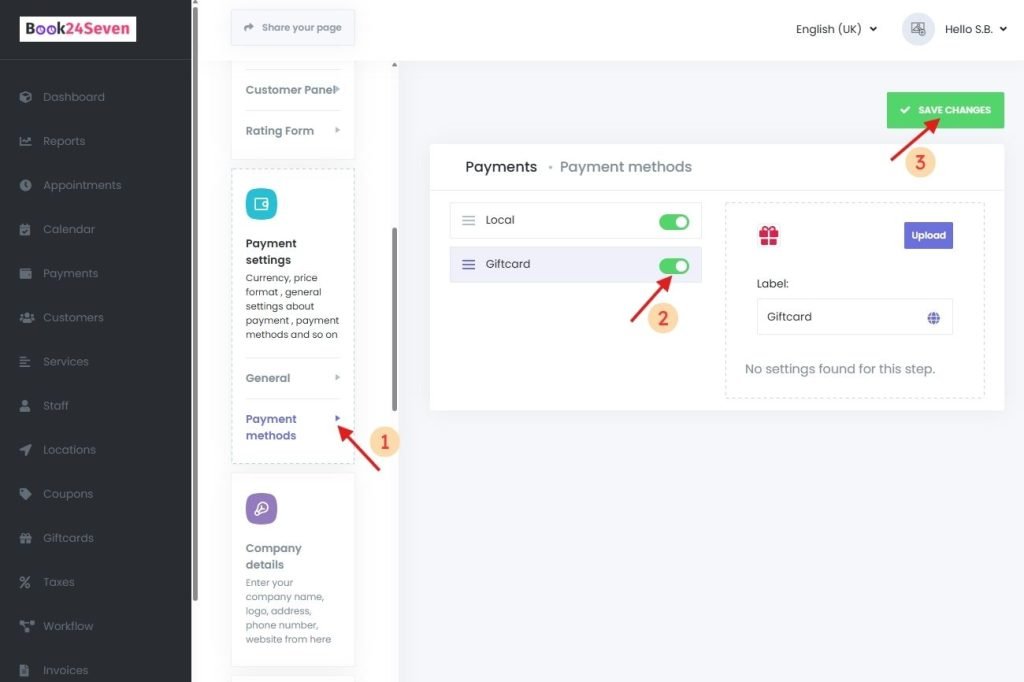
Enable Gift Cards as a Payment Method
To allow gift card usage during booking:
- Go to Settings > Payment Settings > Payment Methods
- Enable “Giftcard” as a payment option.
- Click “Save Changes”
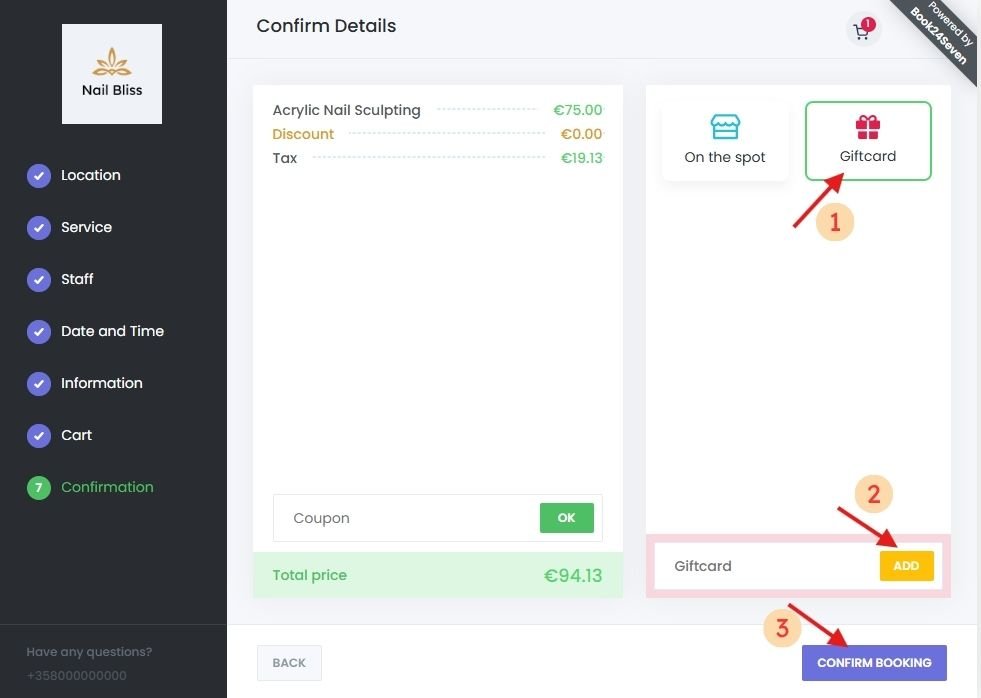
Redeem Gift Cards During the Booking Process
- At the payment step of the booking panel, the customer enters their gift card code.
- The system checks the code and applies the available balance.
- If the balance covers the full cost, the appointment is confirmed.
- If not, the customer is prompted to pay the remaining amount using other payment methods.
Managing Existing Gift Cards
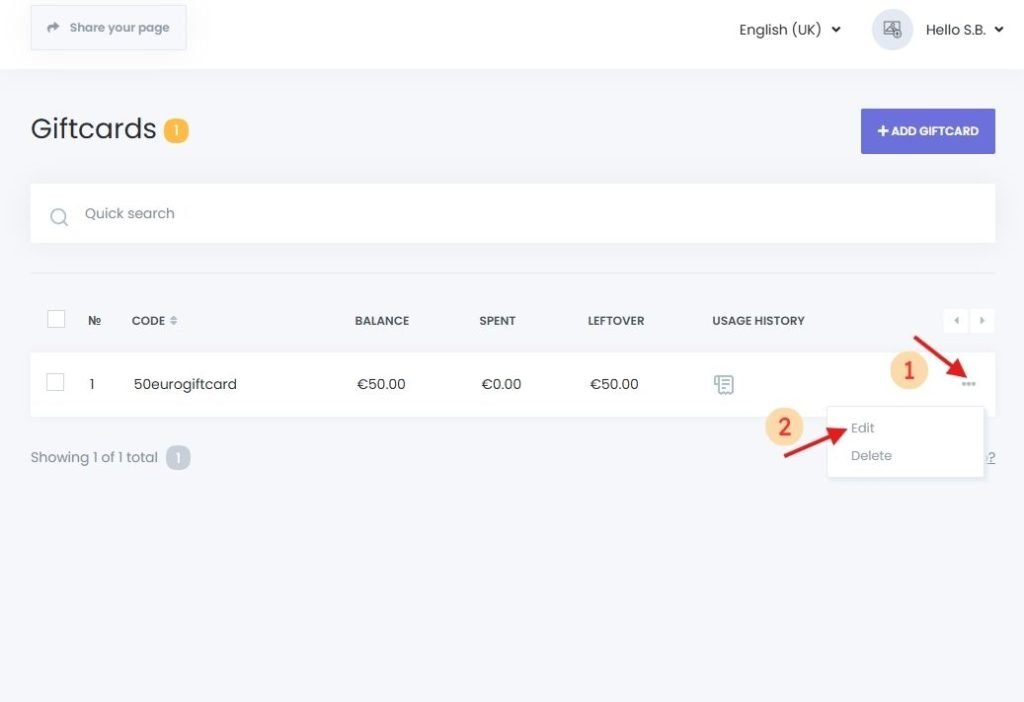
Edit Gift Card Details
- In the Gift Cards list, click the three-dot menu next to the card.
- Choose “Edit”, update the fields, then click Save.
Delete Gift Cards
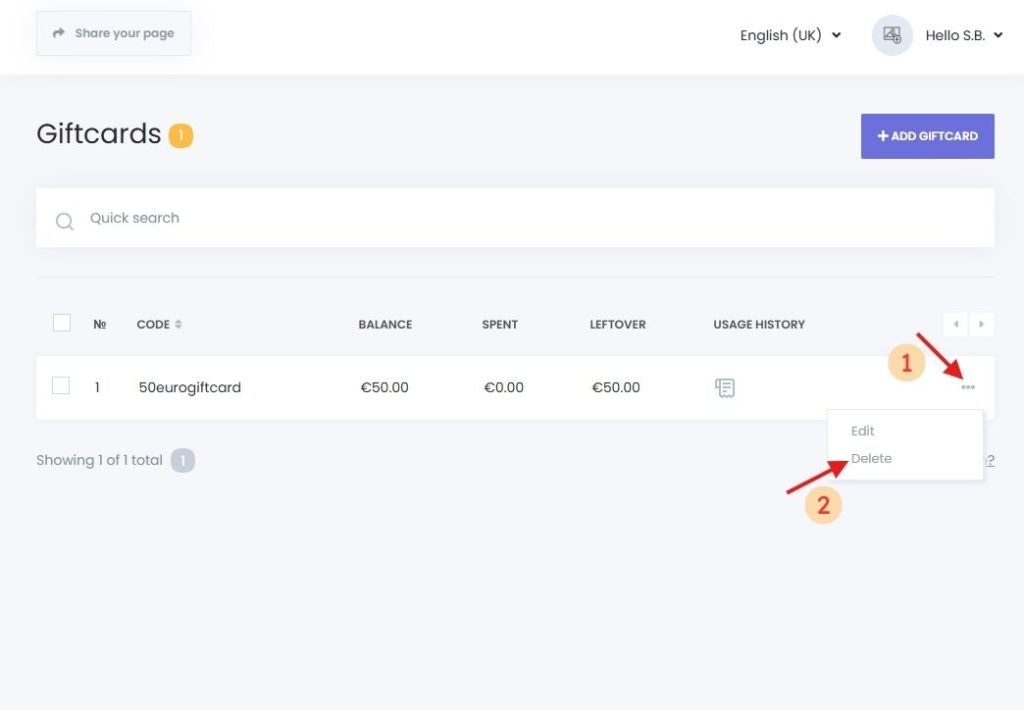
- Single Deletion: Click the three-dot menu > Delete > Confirm.
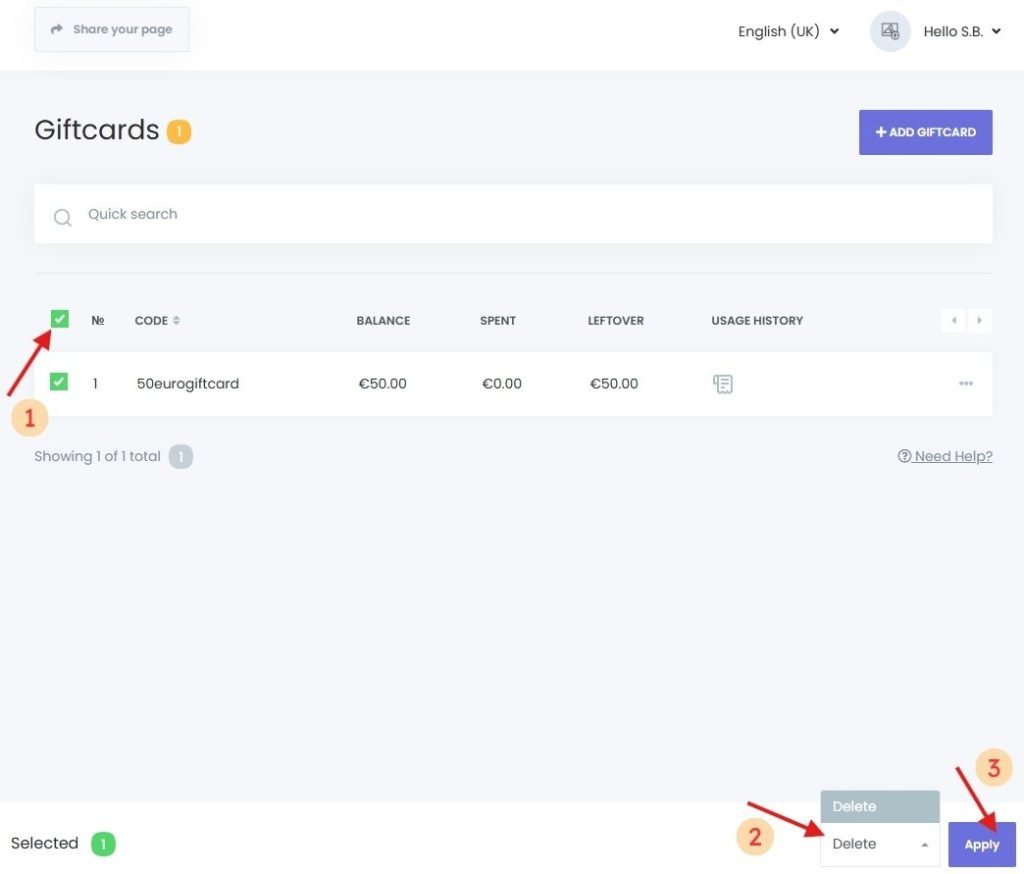
- Bulk Deletion:
- Select multiple cards using checkboxes.
- Click the Delete button at the bottom.
View Gift Card Usage History
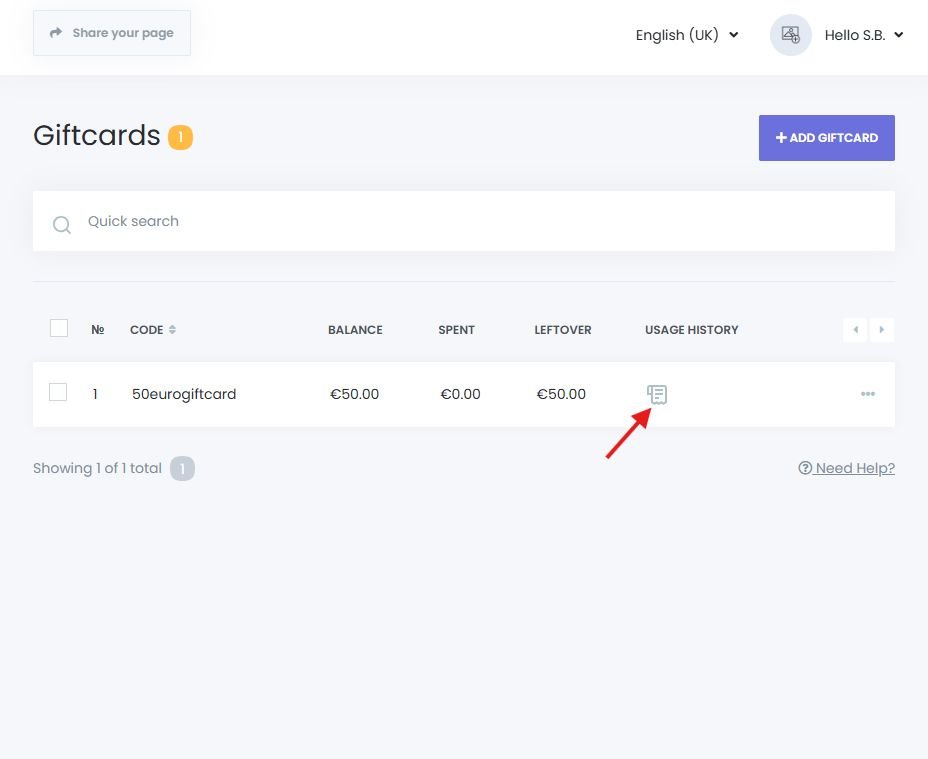
To monitor gift card usage:
- Click the log icon next to a gift card entry.
- View all usage events, including:
- Who used the gift card
- Which appointments it was applied to
- Click the log icon next to a specific usage to open full appointment details (editable/deletable).
Tips and Important Notes
| Limitation | Explanation |
|---|---|
| No Direct Gift Card Sales | Cards must be sold externally or issued manually |
| Acts as a Payment Method | Gift cards are applied at checkout to reduce or cover payment |
| Sufficient Balance Required | The gift card must have enough balance to apply; otherwise, it won’t be accepted for that booking |
Summary
The Gift Cards Module in Book24Seven makes it easy to manage gift cards in an online booking system. You can:
- Create and issue digital gift cards for loyal customers or promotions
- Apply gift cards during manual or online bookings
- Track usage history and remaining balances
- Customize gift card validity by location, service, or staff
With Book24Seven, customers can conveniently gift or prepay for services, while your business increases revenue, retention, and booking flexibility.

 Finnish
  English