
If you need to configure company details in an online booking system, Book24Seven makes it simple. You can upload your logo, set your business name, address, and contact information—all of which appear in customer emails and on your booking panel. This helps you present a professional and consistent brand experience to your clients.
Accessing Company Details Settings in Book24Seven
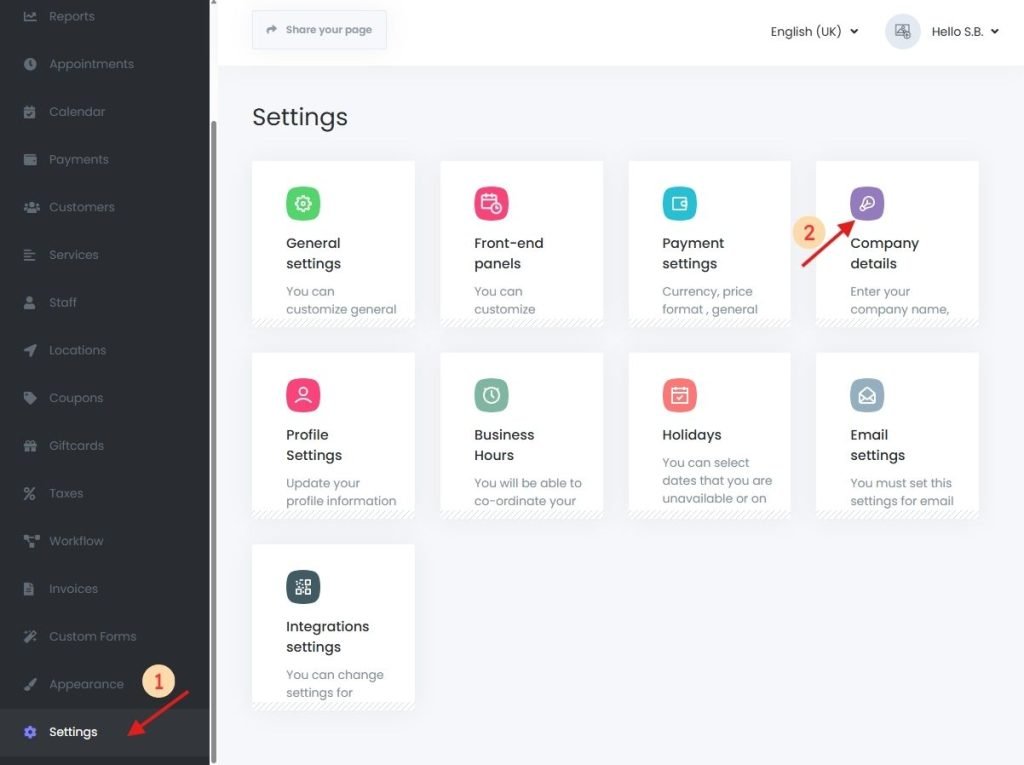
- Log in to your Book24Seven dashboard.
- Click on Settings from the sidebar.
- Select “Company Details”.
What You Can Configure in Company Details Settings
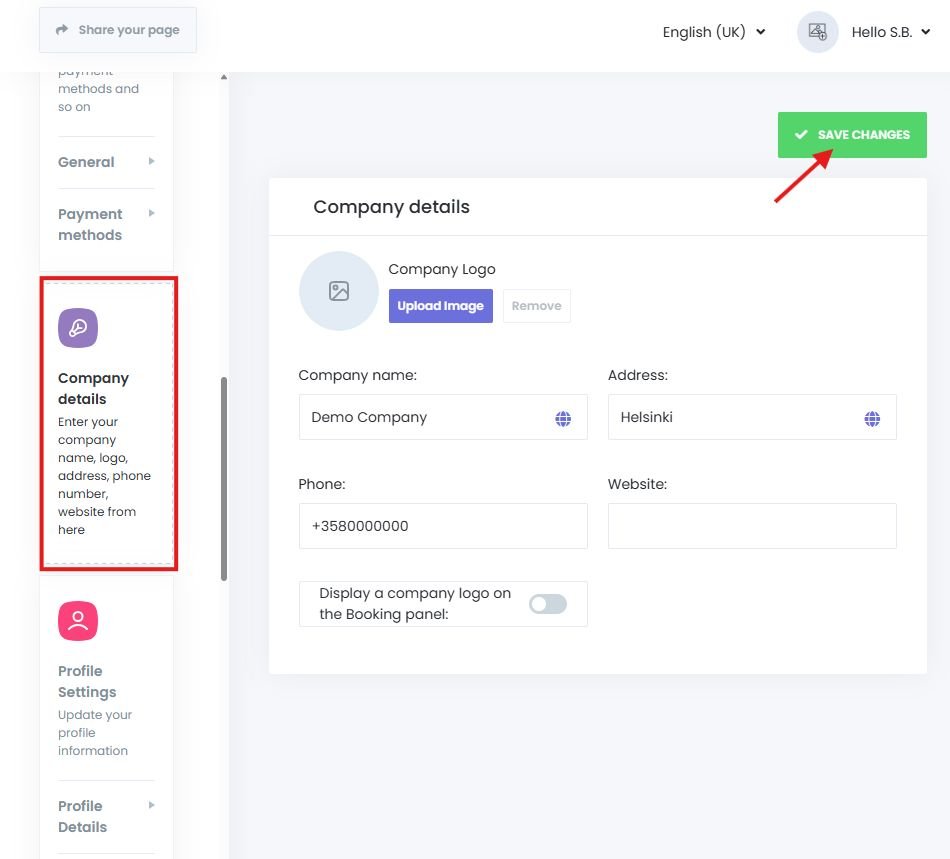
| Field | Description |
|---|---|
| Logo | Upload your company’s logo (will be shown on booking panel if enabled) |
| Company Name | Your official business or brand name |
| Address | Physical or registered office location |
| Phone Number | Displayed in the booking footer and used in notifications |
| Website | Your business website URL |
Tip: Use Company Details Keywords in Email Notifications
Book24Seven allows you to insert company details into email and SMS templates using dynamic keywords:
| Keyword | Replaces With |
|---|---|
{company_name} | Your company name |
{company_phone} | The phone number you entered |
{company_address} | Your business address |
{company_website} | Your website URL |
Example: “Have questions? Call us at {company_phone} or visit {company_website}.”
How to Display Your Company Logo on the Booking Panel
To brand your booking panel:
- Upload your logo in the Logo field.
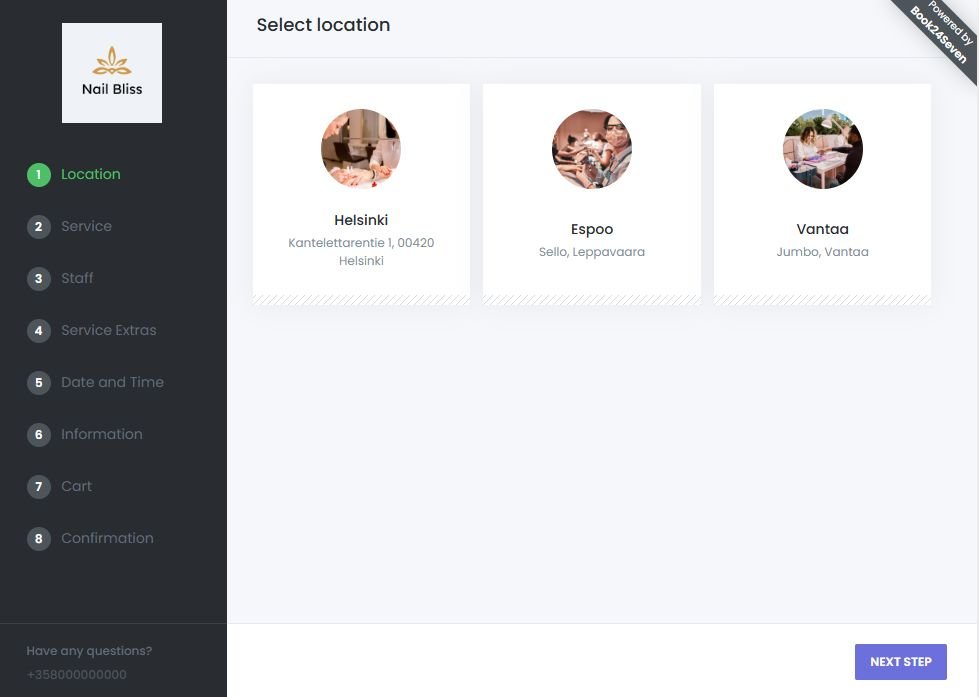
- Enable “Display a company logo on the booking panel”.
Your logo will then appear in the header or branding section of your online booking panel.
Summary: Personalize Your Booking Panel with Company Details
The Company Details Settings in Book24Seven let you manage and display your business identity across your online booking system. You can:
- Show your business name, logo, and contact information throughout the platform
- Personalize notifications with branded content
- Strengthen customer trust and booking experience through consistent branding
- Keep your contact details easily accessible for clients
By keeping your company details settings (also general settings) in an online booking system updated, you ensure customers always know how to reach you—and your brand stays front and center in every interaction.

 English
  Finnish